
Alex & Taylor's Wedding
foreverlove2026 🥂
About
Features
foreverlove2026 🥂
About
Countdown
Features
One payment. Live instantly. Share with everyone.
By continuing you agree to our Terms of Service.
No reviews yet
Be the first to review this template!About
The date is picked. The venue said yes. Your mother wants to see the shortlist before you send anything, so you sit next to her at the kitchen table at nine at night and open four tabs on your phone. She scrolls once, twice, and stops on this one. "It looks like a magazine," she says, and she means it as the highest compliment.
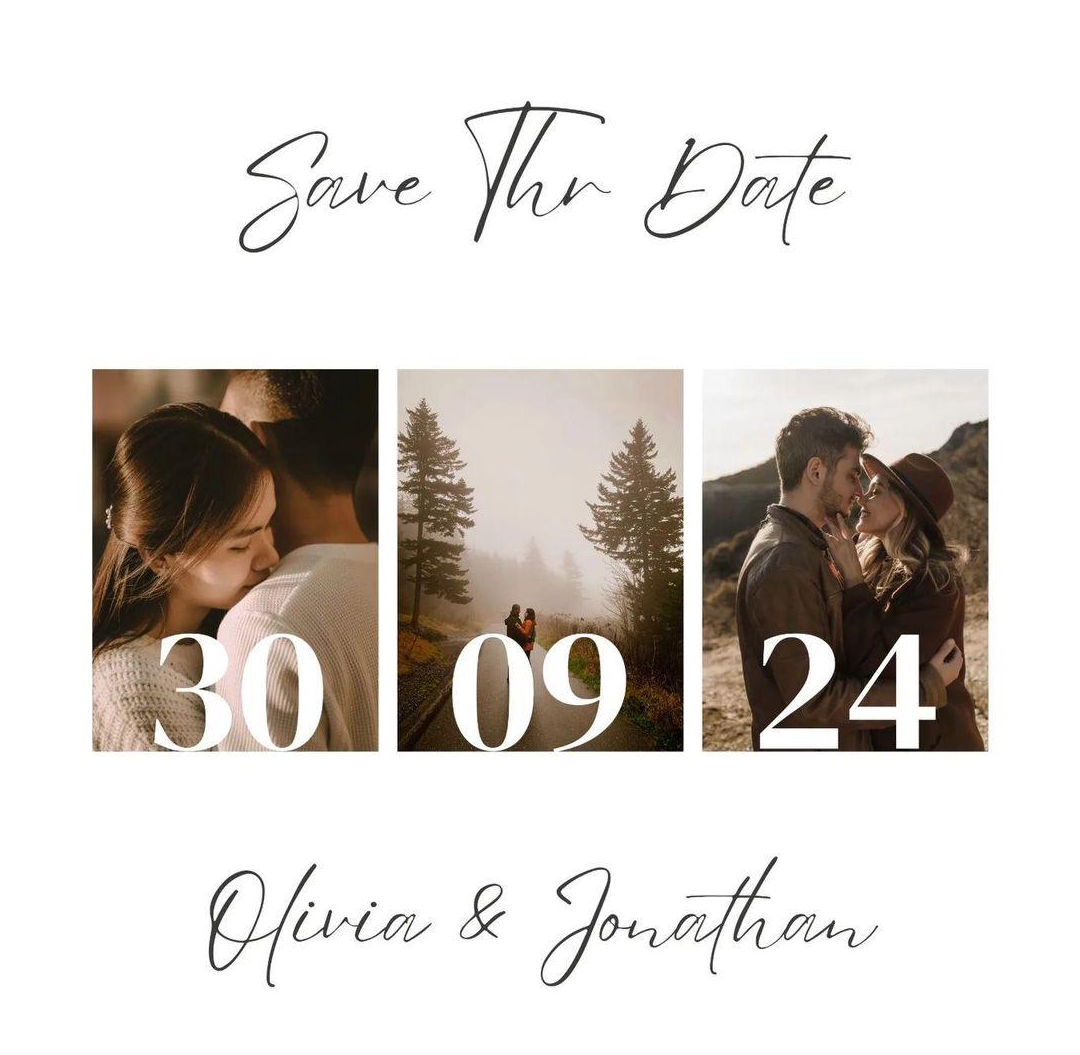
Three photographs in a row is not a new idea. In old European churches and museums you'll see the triptych — three linked panels holding three moments of a single story, each one chosen carefully so it earns its place. India took the same shape into its wedding albums a hundred years ago, and it is still the spread the family reaches for first. The photograph in the middle is the one everyone points to. The two on the outside make it possible.
The Wed's Med digital wedding invitation is that spread, made modern. Your three most-chosen photographs sit inside a minimalist frame. Above them, your names in bold editorial type; below them, something in a handwritten hand that only you two would write. Music opens the moment the invitation opens, low and unhurried. The whole thing feels edited, not filled. Space is allowed to do work here, which is rare in this category — most templates try to fill the screen because they don't trust it to hold silence.
That is what makes Wed's Med the right kind of digital wedding invitation for a couple who trust the picture to speak. Nobody has been asked to read four paragraphs before finding the date. There is a save-the-date confidence to it — the sense that a small number of well-chosen elements will say more than a page of decoration. Your parents in Kolkata and your cousins in Toronto open the same spread at the same moment. They tap once, they see the venue, they tell you they're coming.
Send it into the family group and put the phone down. The aunt who always asks for the venue pin twice will screenshot the middle photograph and send it back into another group with three heart emojis. That is the closest thing you will get to a review, and it is the one that matters.
Guests reply on the invitation itself — up to 50 RSVPs are free, and you choose what to ask them: phone, email, how many they're bringing, even a song request. Add your own custom questions if you want. Set a deadline so replies stop when the caterer needs a final count. The venue opens straight into Google or Apple Maps, and a live countdown does the reminding for you.
Wed's Med ships with three photo slots inside the design and its own template music — upload your own track to replace it. Link a full album from Google Photos, Drive or iCloud for the rest of the pictures. Add a schedule for multi-day functions, a gift registry, a custom hashtag, and a thank-you page for after the day. Lock the invite behind a password if you want, and control the window it goes live and expires. No app for guests to install. It opens on any phone.
Your customizations are saved — sign in to proceed.
Update the names for the invitation
Set the date and time for your event
Customise text fields in the theme
Venue name, address and map location
Upload images and videos for your invitation
Choose which fields to include in the RSVP form
Message shown to guests on the RSVP form
Add custom questions to the RSVP form
Update the event details for the invitation
Add background music to your invitation
Add a cover image to your invitation
Add your own logo or branding to the invitation
Add a link to your photo or video gallery
Add a gift registry for your guests
Show a timeline of events for your guests
Customise the thank you message for your guests
This is the template's default music. Upload your own below to replace it.
Background music
Music will play automatically when guests open your invitation. Supported formats: MP3, WAV, OGG (max 10 MB).
You're invited! Tap to view 🎉
Preview when shared
Custom branding
Your logo will appear on the invitation. Use a PNG or SVG with a transparent background for the best result.
Start your wishlist ✨
Add items you'd love — guests can pick directly from your registry
Plan your timeline 🗓️
Map out each moment so guests know exactly what to expect
Set the period your invitation is accessible
Restrict access to your invitation with a password
Choose how the invite opens for guests by default
Drag & drop files here
or browse
Max 10 MB per file