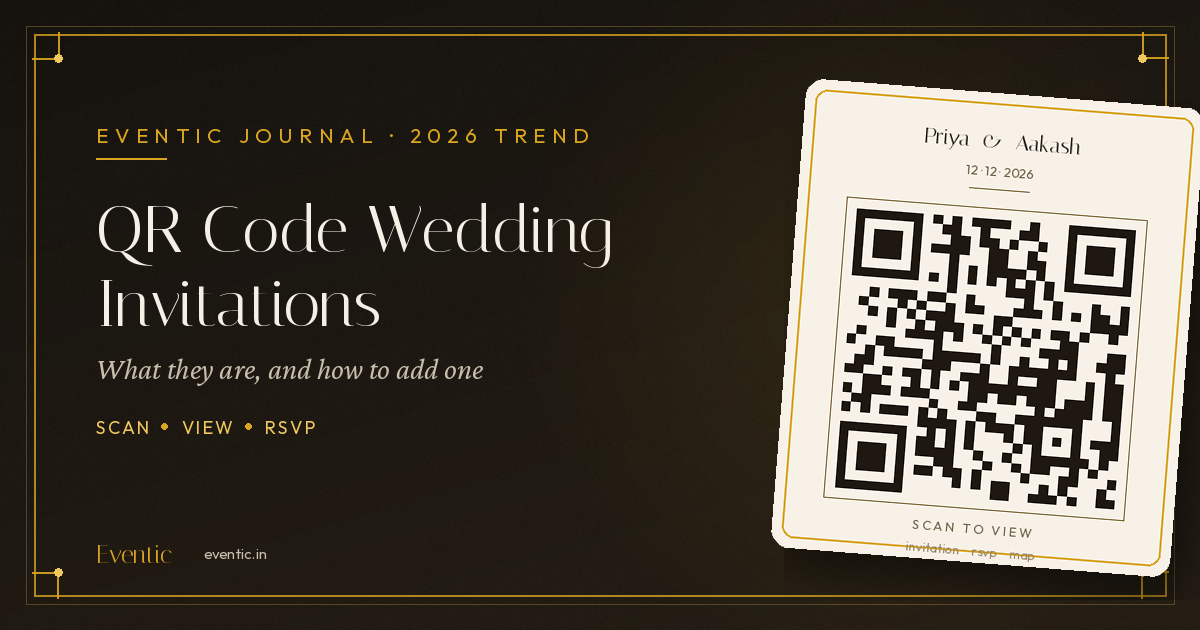
Wedding invitations have come a long way from gold-foil envelopes and hand-delivered cards. The newest addition to the digital wedding invitation toolkit isn't animation or background music — it's a small black-and-white square that's changing how guests experience an invite: the QR code wedding invitation.
If you've been sent a card recently with a "scan to view invitation" note printed at the bottom, you've already seen this trend in action. In this guide, we'll break down exactly what a QR code wedding invitation is, why more Indian couples are adding one in 2026, and how you can create your own in a few simple steps.
What Is a QR Code Wedding Invitation?
A QR code wedding invitation pairs a traditional or digital card with a scannable QR code that, when opened with any phone camera, instantly takes guests to your full digital invitation — complete with your wedding video, RSVP form, venue map, event schedule, and more.
Instead of guests typing a link, remembering a website, or scrolling through a WhatsApp forward to find the details again, they simply point their camera at the code and the invitation opens on the spot. It works whether the QR code sits:
- On a printed card, as a bridge between your physical invite and the full digital experience
- On a WhatsApp invitation image, letting guests scan it later from a saved photo
- On save-the-date magnets, envelopes, or even wedding favours
Why QR Code Invitations Are Trending for Indian Weddings in 2026
1. Multi-function, multi-day weddings need one reliable linkIndian weddings often span several functions — haldi, mehendi, sangeet, wedding, and reception — each with its own date, time, and venue. A QR code gives guests one permanent, scannable entry point to the entire schedule instead of five separate messages.
2. Guests lose WhatsApp forwards; they don't lose a printed cardA digital invite link sent over WhatsApp can get buried in a busy family group within hours. A QR code printed on a physical card or saved as an image stays accessible — guests scan it again on the wedding day itself for the map or schedule.
3. It bridges the "print vs. digital" decisionMany couples still want a physical card for elders or as a keepsake, while younger relatives expect a digital experience. A QR code lets you do both — a beautifully printed card that unlocks a fully digital invitation, RSVP tracker, and video, without choosing one over the other.
4. It looks modern without feeling impersonalUnlike a plain link, a QR code feels intentional and premium — especially when it's styled to match your invitation's theme colours, as most digital invitation platforms now allow.
What Happens When a Guest Scans the Code?
With a good digital invitation platform, scanning the QR code should open:
- The full invitation with photos, video, or animation
- Event date, time, and multi-function schedule
- An interactive venue map with one-tap navigation
- An RSVP button so guests can confirm attendance instantly
- Background music or a personal message from the couple
This is the real advantage over a plain scan-to-view link: the QR code isn't just a shortcut, it's the doorway to every feature of your digital invitation.
How to Add a QR Code to Your Wedding Invitation (Step-by-Step)
You don't need a separate QR code generator or design tool — most digital invitation makers, including Eventic, generate this automatically. Here's the general process:
- Create your digital wedding invitation first. Choose a template, add your names, photos, wedding video, venue, and schedule.
- Enable RSVP and map features so the QR code leads to a complete experience, not just a static card.
- Generate the QR code from your invitation dashboard. On Eventic, this is created instantly from your invitation link — no third-party QR tool needed.
- Download the QR code as an image in high resolution, suitable for print.
- Add it to your printed card, envelope, or WhatsApp invite — most couples place it at the bottom corner with a short line like "Scan to view invitation" or "Scan for full details & RSVP."
- Test it before printing or sending. Scan it yourself with two or three different phones to confirm it opens correctly.
Pro tip: Keep the QR code at least 2×2 cm on print material and avoid placing it over a busy background — a plain or lightly shaded box behind it improves scan reliability.
QR Code vs. a Plain Invitation Link — Which Should You Use?
| QR Code | Plain Link | |
|---|---|---|
| Works on printed cards | Yes | No (has to be typed) |
| Feels premium/modern | Yes | Neutral |
| Easy to scan again on the day (for map/schedule) | Yes | Requires re-finding the WhatsApp message |
| Best use case | Printed cards, envelopes, on-site signage | WhatsApp, Instagram, email |
The two aren't competitors — most couples use both: a link for WhatsApp sharing and a QR code for anything printed or displayed at the venue.
Create Your QR Code Wedding Invitation with Eventic
Eventic's digital invitation maker generates a scan-ready QR code automatically with every invitation — no extra tools, no watermarks. Add your RSVP tracker, venue map, and QR code together, and share an invitation that works just as well printed as it does on WhatsApp.
People Also Asked
Explore common questions related to this blog.