You do not need a wedding website to collect RSVPs. You need a place for people to answer and a place for those answers to land. That's a form and a link, and you can have both running before your coffee goes cold.
Somewhere along the way "build a wedding website" became a mandatory step, and for a lot of events it's overkill. A 50-person backyard party doesn't need a hotel block page. Your cousin's engagement dinner doesn't need a travel FAQ. If all you need is a headcount, here are six ways to get one — ranked roughly by how little work they are.
Heads up: some links in this post are Amazon affiliate links — if you buy through them, Eventic earns a small commission at no extra cost to you.
1. A free form link (the default answer)
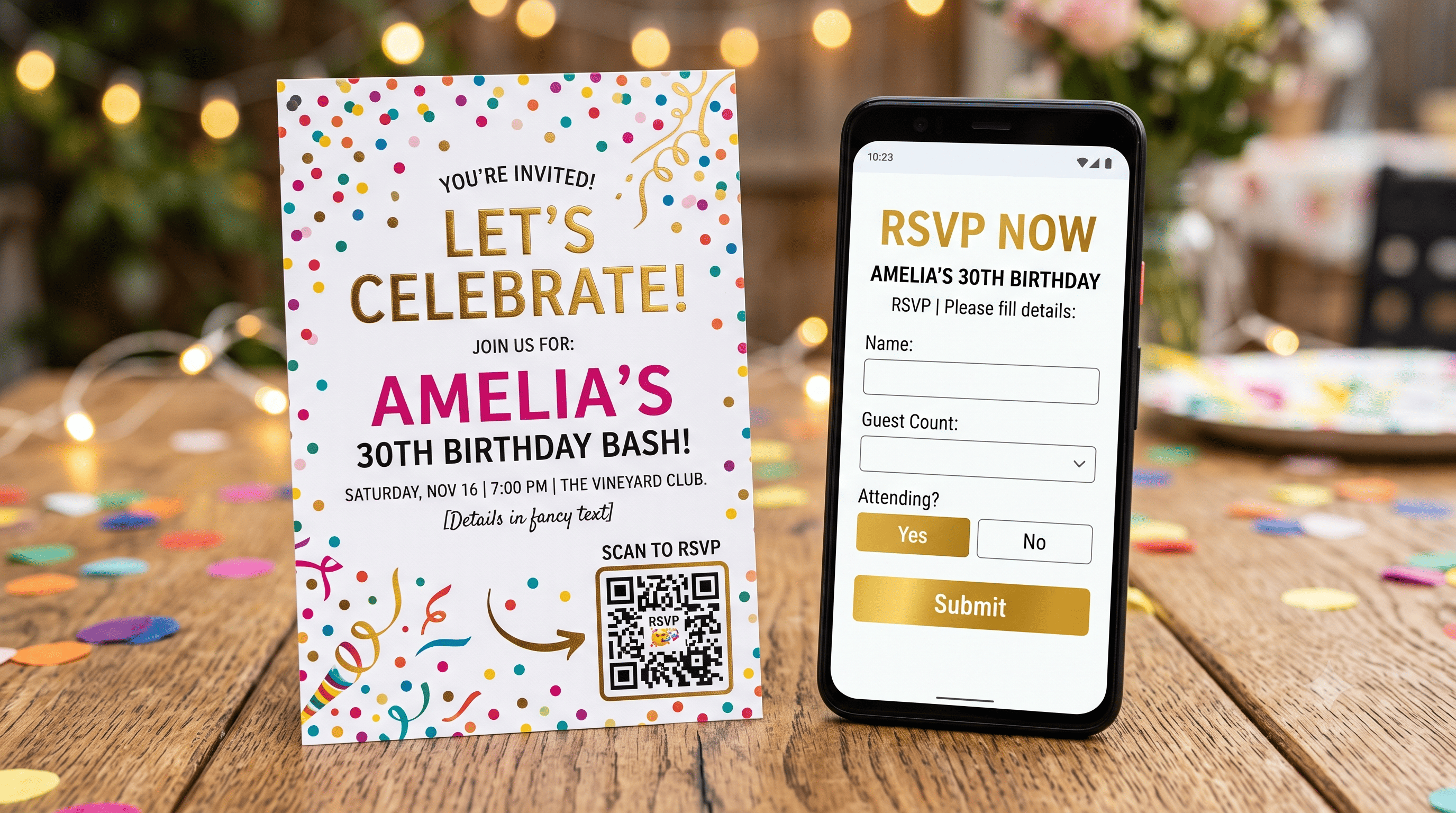
Google Forms, Microsoft Forms, or the reply form built into a digital invitation. Make the form, copy the link, put the link on your invite.
Setup time: about eight minutes. Cost: nothing. Answers land in a spreadsheet automatically, which is the entire point — you never retype anything, so you never mistype anything.
Keep the form to four questions maximum:
- Your name
- Will you be attending? (Yes / No)
- How many of you are coming?
- Anything we should know? (allergies, arrival day)
That's it. Every extra field is a place someone abandons the form. If you're doing a plated dinner you'll need meal choices too, and there's a right way to ask so the answers are actually usable — mostly it comes down to asking per person instead of per household.
The one gotcha: long form URLs look terrible printed on a card and are miserable to type. Run it through a URL shortener first, or use a QR code (see method 3).
2. Reply by text, with one designated person
For events under about 40 guests, this genuinely works — as long as one person owns it.
Put a single phone number on the invite with a clear instruction: "Text Priya at 555-0142 by June 3 with a yes or no and how many are coming." One number. One name. One deadline.
Why it works at small scale: people reply to texts. Response rates are higher than any other method, and usually faster.
Why it collapses at large scale: you become the database. Every reply is a message you have to read, interpret ("we'd love to but let's see") and manually record. At 40 households that's an evening. At 120 it's your life for two weeks.
If you go this route, log every reply into your list the moment it arrives. Not later tonight. The moment. Otherwise you'll be scrolling back through three weeks of messages trying to remember whether the Okonkwos said two or three.
3. A QR code on a printed invitation
The bridge between paper invites and digital replies, and honestly the most underrated option here. Guests scan, form opens, done. No typing a URL, no website.
Generate a QR code that points to your form link, drop it on the invite with one line of instruction — "Scan to reply by June 3" — and you're finished. Most digital invitation makers, Eventic included, generate the code for you when you add a reply link, so you rarely need a separate tool.
Two practical rules learned the hard way:
- Don't print it smaller than about 2cm square. Small codes fail on matte and textured card stock, which is exactly the stock people pick for wedding invitations.
- Test the printed one, not the one on your screen. Print a single card first and scan it with two different phones.
If you're also displaying the code at an event — for a welcome party sign-in or a shower — a small acrylic sign holder for the QR card beats propping it against a vase. Cheap, reusable, and it stops the card from face-planting into the appetizers.
4. A shared spreadsheet (for work and group events)
Niche but excellent in the right context: office parties, club events, team dinners, anything where everyone's already in the same workspace.
Share a Google Sheet with view-and-edit access, one row per person, columns for attending and dietary needs. People fill their own row. You never chase anyone because they can all see the empty rows, and social pressure does the work.
Don't use this for a wedding. Guests seeing each other's answers is fine for a Slack team and deeply weird for a family event.
5. Reply cards by post (the traditional one)
Still valid, especially for formal weddings and older guest lists. Emily Post's guidance is that when an invitation includes a response card, guests should send the reply by mail — for some families, that ritual matters.
But price it honestly before committing. At current USPS rates, a Forever stamp is $0.82 and a domestic postcard stamp is $0.65. For 100 invitations with stamped return envelopes, that's $82 in return postage alone — before printing, before the outer envelope's postage, before the envelopes themselves. Switching the reply card to a postcard format drops it to $65 and removes an envelope from the job entirely.
The other cost is time. Cards arrive over three weeks, in no order, and you transcribe each one by hand. Budget an hour of admin you didn't plan for.
A reasonable middle path: reply cards for the 20 guests who'd genuinely prefer them, a form link for everyone else. Nobody's checking for consistency.
6. Call people (yes, really)
For a guest list under 20 — a rehearsal dinner, a milestone birthday, a small engagement lunch — just call them. You'll have the whole list confirmed in an afternoon, and you'll get better information than any form: who's bringing whom, who's arriving late, who's quietly hoping there'll be a vegetarian option.
Not scalable. Extremely effective. Also the only method where the elderly relatives don't call you afterwards asking what a QR code is.
Which one should you actually use?
| Your situation | Use this |
|---|---|
| Wedding, 60+ guests | Form link + QR code on the invite |
| Casual party, under 40 | Text to one person, or a form link |
| Formal wedding, older guest list | Reply cards, with a form link as an alternative |
| Work event or team dinner | Shared spreadsheet |
| Small dinner, under 20 | Call them |
| Destination wedding | Form link — you need the travel details anyway, so a site may be worth it after all |
Whatever you choose, the rule from the wider system for tracking replies still holds: pick one channel and put only that one on the invitation. Offering a form and a text number and "or just let us know" is how you end up with answers scattered across four places and a headcount you don't trust.
What to write on the invitation
Whichever method you pick, the invite needs three things: the action, the destination, and the date.
Kindly reply by June 3 Scan the code or visit rsvp.oursite.com
Please let us know by June 3 Text Priya at (555) 012-3456
RSVP by June 3 ourwedding.rsvpform.link
Short, one destination, real deadline. If you want it phrased more formally — or you're stuck on the M-line and the plus-one problem — there are 40 RSVP wordings you can copy straight across.
And set that date properly. The deadline should sit two to three weeks before your caterer's final-numbers date, not on a convenient-looking Friday — here's how to work it out backwards.
Pick your method today, before you finalize the invitation design. The reply instruction has to fit on the card, and retrofitting a QR code onto a layout you've already approved is exactly the kind of small annoying job that delays everything by a week.
People Also Asked
Explore common questions related to this blog.